 Scoreflection
A guitar and ukulele app that listens to you play
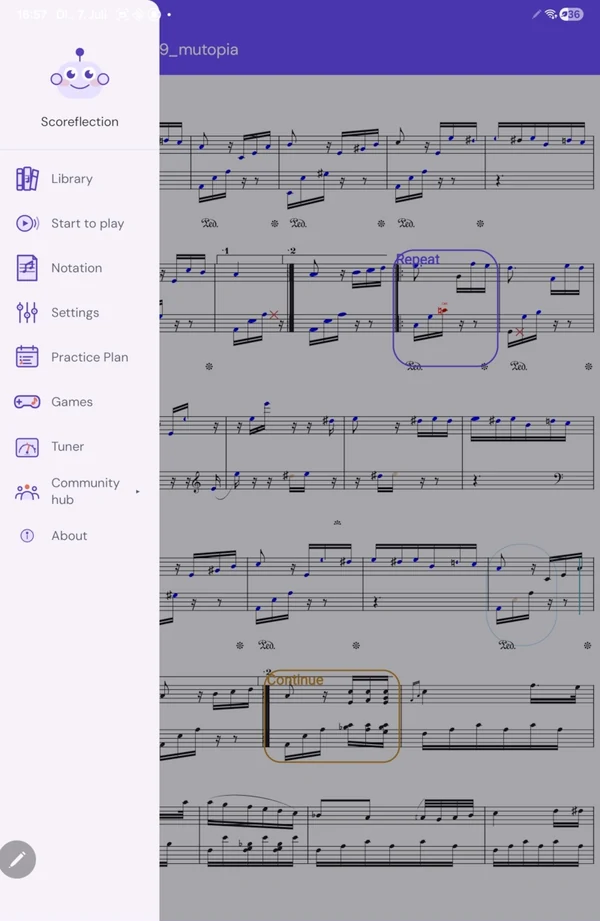
Open a score, prop the phone up where it can hear the guitar, and play. Scoreflection follows chords and strums as well as single lines, keeps its place in the score bar by bar, and marks every note on the page you were reading. The listening runs on the phone itself — no audio is uploaded, and there is no pickup to attach.
Guitar and ukulele — the fretted strings — are one of the two instrument families Scoreflection supports today, alongside piano. Supported means measured: the listener has been checked against real recordings of people playing them.
Chords and strums, not one note at a time
The fretted strings are followed by a polyphonic model, so a chord comes back as the notes in it rather than one confident guess. There are two guitar input modes: full polyphonic guitar, which follows chords and strums, and a solo mode for single-note lead lines.
For a part written as chords, the strumming strip gives it a rhythm: you set a pattern over a range of bars, and the app follows your strumming instead of trying to match every note of every chord — which is what makes a strummed accompaniment gradeable at all. It also tells you which of the two it is doing.
Tab when you want it
A tab staff can be turned on from the control rail for pieces where it makes sense, and scanned pages that contain tablature are recognised as containing it. On strings, the instrument guide shows which string and finger for the note coming up.
In tune before you start
- A free tuner. It names the note it hears and how far off it is, and holds a set of tunings, including custom ones you define. There is a tuner on this site too, if you want to try one without installing anything.
- Not at concert pitch? Calibrate the app to your instrument, up to fifty cents either way, instead of being marked wrong for the drift.
- A tune check. Before a piece starts, the app can play its first notes and listen for you to play them back, so you know you are in tune and heard before bar one.
Graded fairly for a plucked instrument
A plucked note decays whether you want it to or not, so guitar is always judged leniently on short notes. Octave slips are recognised for what they are, and the instrument's own overtones are discarded before anything is counted against you. And because your hands are busy, tone commands let you play a short melody you recorded to pause, restart or turn the line.
Who it is not for
Scoreflection has no beginner course and no song catalogue to work through: it grades the music you bring. If you want to be taught guitar from the first chord, a course app is the better start — the comparison with other apps says which ones.
What is free, and what needs an account
Reading costs nothing and needs no account: the score library, importing, playback with the metronome, the tuner, and the two games that don't listen — interval training and rhythm echo. Being listened to and graded is the Practice plan. The subscription is tied to an account, so for that you need to be signed in; the listening itself still runs on the phone. Which parts need an account.